Free, runs in your browser. Nothing you type is sent anywhere.
How Long Should a Memorial Slideshow Be?
Put in the number of photographs, how long each one stays and the songs, and see whether the pictures and the music end together, with the fix if they do not.
The Slideshow Calculator
The sample is 60 photographs at six seconds each with two songs. Five to seven minutes reads well in a room of 300.
How Long Is Right
Five to seven minutes holds a room; longer and people drift.
- 5 to 7 minutes
- 50 to 70 photos
- 6 seconds each
A slideshow of five to seven minutes holds a room of 300. At six seconds a photograph with a one-second transition, that is 45 to 60 pictures and two songs. Longer slideshows are kept for the meal after, where they can loop on the screen while people talk.
Choosing the Photographs
The ones people love, not the formal ones, in rough order of life.
- Childhood first
- Mix of people
- End on a favorite
Ask the family for the photographs they love, not the formal ones. Run them roughly in the order of a life, childhood first, and end on the picture everyone would choose. Mix close-ups with group pictures so faces can be seen from the back of the room, and send the files to the venue the week before so the slideshow can be checked on the screen; the planning checklist dates it.
The Screen and the Sound
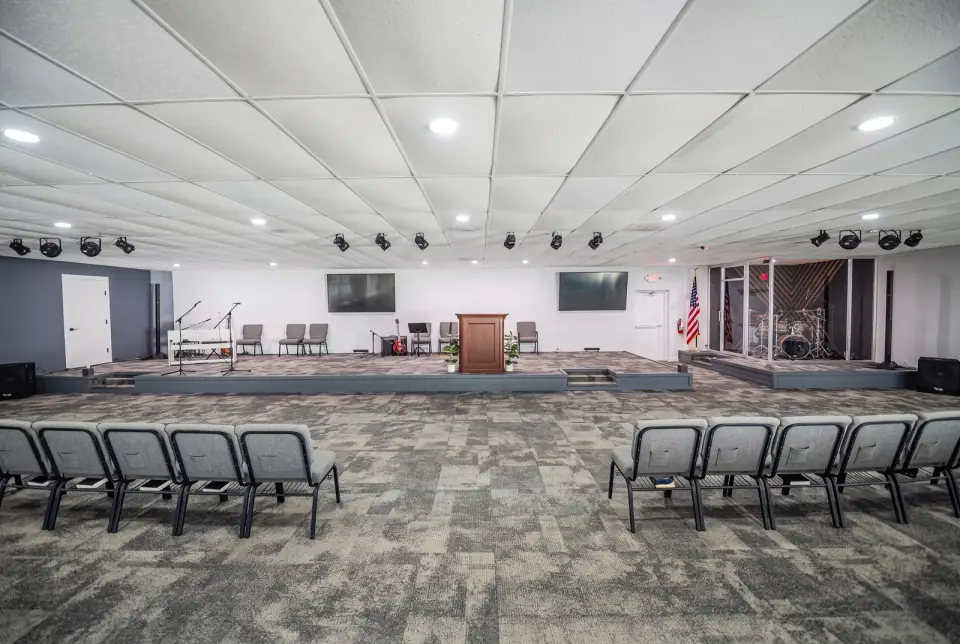
Projection and sound come with every package; a memorial video is a $400 add-on.
- Projection included
- AV technician with Enhanced
- Video $400
Every package includes projection for slideshows and videos and the sound system, and Enhanced and Legacy include an AV technician who runs them. If you would rather hand the job over, a memorial video edited from your photographs is a $400 add-on; the cost calculator adds it to the figure.
Questions
Something else on your mind? Call (954) 471-3965.
What format should the slideshow be in?
A video file (MP4) or a photo folder with the songs works on the venue screen. Send the files the week before so the technician can check them.
Can the slideshow play during the meal too?
Yes. Many families play it once in the service and let it loop on the screen in the reception space while people eat.
Who runs it on the day?
With Enhanced and Legacy the AV technician does. With Basic a family member starts it from the podium, and the staff show them how during setup.
More Free Tools
- Cost CalculatorPick a package, set the guest count, add what you want and see a starting figure at once, itemized, with the price per guest. It uses the prices printed on the packages page, nothing else.
- Planning ChecklistGive it the date and what the day includes. It writes a dated checklist from today to the day itself, in four groups you can tick off, and keeps your ticks in this browser.
- Order of Service BuilderAdd the parts of the service, give each one its minutes and the person who leads it, and see the running order with a finish time. Reorder with the arrows, then print the outline for the program.
- Invitation WordingPut in the name, the date, the place and who it is from, choose a tone, and read the invitation as you go. Edit any line, then copy it into a text, an email or a printed card.
- Repast Food PlannerSet the guest count, the dishes and what one tray serves, and see how many trays to order, plus plates, cups, ice and serving spoons. The sample is a full meal for 120.
Want the Real Number?
A tool gives a starting figure. The team gives the real one, with the date held and every add-on priced. Gloria or Susan will call during office hours to check your date and arrange a free 30-minute tour.
- Visit
- 5725 S University Dr, Davie, FL 33328
- Call
- (954) 471-3965
- Hours
- Monday to Friday 7:00am to 7:00pm, Saturday 7:00am to 4:00pm, Sunday closed